
AI systems cite HTML pages far more readily than PDFs because HTML supports structured markup, metadata, and internal linking that PDFs lack. If you must use a PDF, ensure it has a selectable text layer (not just scanned images), complete metadata fields, and is linked from an indexed HTML page. The single biggest improvement is publishing your content as an HTML landing page first and offering the PDF as a downloadable supplement.
PDF SEO for AI: making documents citable by ChatGPT and Gemini
Publish an HTML landing page first and treat the PDF as a downloadable supplement, not the main asset. That single decision does more for AI citation than any metadata tweak. If you must keep a PDF as the primary format, confirm three things immediately: it has a native, selectable text layer, its metadata is complete and accurate, and it sits behind (or is linked prominently from) an indexed HTML page.
Before anything else, work through this:
- Open the PDF and try to select a line of text. If you cannot, it is image-only and needs OCR.
- Set the document title, subject, author, and description in the file properties, not just the filename.
- Add the PDF to your XML sitemap or link to it from a page Google already indexes.
The rest of this guide explains why HTML wins, how AI models actually read PDFs, and the exact steps to close the gap.
Key Takeaways
AI systems cite HTML far more readily than PDFs, so the highest-impact move is publishing an indexed HTML page and keeping the PDF as a supplementary download.
Point | Details |
|---|---|
HTML first, PDF second | Build the HTML landing page for schema and internal links; keep the PDF as a download only. |
Text layer is non-negotiable | Run OCR on scanned pages and proofread the output before publishing. |
Metadata takes minutes | Fill in title, subject, author, and description fields in the document properties. |
Structure drives accuracy | Tag headings, tables, and reading order so extraction pipelines don't scramble content. |
Get audited before fixing | A free Cited audit checks text layer, metadata, crawlability, and schema gaps across six dimensions before you spend on repairs. |
Table of Contents
- Why does HTML outperform PDFs for AI citation?
- How do AI engines actually read PDFs?
- What is the checklist for making a PDF AI-citable?
- When should you convert a PDF into a web page?
- How do you measure whether AI engines cite your PDF?
- Cited field notes: what we find in audits and quick wins
- Get a free AI visibility audit before you touch a single PDF
- Sources
- FAQ
Why does HTML outperform PDFs for AI citation?
HTML carries signals that PDFs simply cannot. Schema.org markup tells an AI system what an entity is, structured internal linking tells it what else on your site supports the claim, and meta tags give it a clean summary to quote. A PDF has none of this by default. Google AI Overviews appeared in over 40% of search results as of May 2026, and that surface is built almost entirely on HTML content that supports structured markup.
A PDF is fundamentally a print format wearing a digital costume. It stores where text sits on a page, not what that text logically is. A heading might be styled as large bold text with no tag identifying it as a heading, which forces an AI parser to guess at document structure rather than read it directly.
- HTML supports schema, meta tags, and internal linking that PDFs lack entirely.
- PDFs preserve visual layout, not semantic structure, which damages reading order during extraction.
- Even a well-made, born-digital PDF loses value next to an HTML page because it has no schema and almost no meta control.
Even a flawless PDF is competing against a format built for machines to parse. That is the structural gap this guide exists to close.
How do AI engines actually read PDFs?

AI providers use at least three different ingestion methods, and the method decides how accurately your content gets represented. Some systems run native text extraction, pulling the embedded text layer directly. Others fall back to optical character recognition (OCR) when no text layer exists, and a growing number use vision language models (VLMs) that read the page as an image alongside any anchored text coordinates.
Benchmark testing in 2026 found meaningful variance between providers: Claude scored highest on factual accuracy for text-heavy documents, Gemini handled long-document context best, ChatGPT performed strongest on multimodal layouts, and Perplexity led on sourced question-and-answer retrieval. Choosing an ingestion approach by workload, rather than brand reputation, matters more than most teams assume.
- Image-only PDFs force OCR, and OCR introduces spelling errors, misread tables, and dropped characters.
- Multi-column layouts, footnotes, and nested tables confuse the chunking step that splits a document for retrieval, scrambling reading order.
- Large PDFs are often only partially indexed, so your most citable fact needs to sit in the first few pages, not buried on page 40.
Research into large-scale conversion pipelines shows a technique called document-anchoring, which extracts the coordinates of text blocks and pairs them with page images before feeding both to a VLM. This reduces hallucinations and preserves reading order far better than text-only extraction on complex layouts, but it is not something every AI provider applies consistently.
What is the checklist for making a PDF AI-citable?
Work through these steps in order. Each one closes a specific gap identified in the sections above.
- Confirm the text layer. Open the file and select text with your cursor. If nothing highlights, run OCR and proofread the output against the original, since automated OCR regularly misreads numbers and technical terms.
- Set document properties properly. Fill in the title (keep it under 60 characters), subject, author name, and a one-sentence description. These fields feed directly into how search engines and some AI crawlers label the file.
- Apply structural tags. Tag headings, lists, and tables so assistive technology and machine parsers understand hierarchy, not just font size. Check the reading order matches how a human would read the page, top to bottom, left to right.
- Label tables and add alt text. Every table needs a caption, and every meaningful image needs alt text describing what it shows, not just "image1.png".
- Enable Fast Web View. This lets the first page render before the whole file downloads, which matters for crawler timeouts and mobile users on slower connections.
- Reduce file size without losing clarity. Compress images and strip unused embedded fonts. A bloated file risks partial crawling.
- Never password-protect a document you want AI systems to cite. Encryption blocks every extraction method equally.
- Host the PDF behind an indexed HTML page. Link to it with descriptive anchor text ("download the 2026 pricing guide (PDF)"), not "click here", and add the file to your sitemap or link it from a pillar page that already ranks.
- Use canonical headers or a 301 strategy if you are migrating content from PDF to HTML, so you never strand an existing ranking URL with nothing pointing to it.
Pro Tip: Put your single most citable fact, the statistic or conclusion you most want quoted, in the first 200 words of the document. Large PDFs are frequently only partially indexed, and AI systems weight early content more heavily during retrieval.
For sensitive or proprietary document sets where sending files to a cloud API isn't acceptable, local conversion tools can turn PDFs into LLM-ready Markdown while keeping everything on your own infrastructure. That is a niche need, but a real one for regulated industries.
When should you convert a PDF into a web page?
Convert when AI Overview visibility matters to your business, when the document gets cited or downloaded often, or when you need schema markup and the ability to update content without reissuing a file. A pricing page, a product specification, or a frequently referenced report all belong on HTML rather than locked inside a PDF.
The safest migration path is to build the HTML page first, get it indexed, then either 301 redirect the old PDF URL to the new page or overwrite the PDF at its existing URL to preserve link equity. Guides on PDF SEO consistently recommend publishing the page first precisely because it can carry schema and be refreshed on a normal content schedule, something a static PDF cannot do.
- Build and index the HTML version before touching the old PDF URL.
- Redirect or overwrite once the new page is confirmed indexed, never before.
- Add structured data to the new page, then test indexing and monitor Search Console and AI referral traffic for at least a few weeks.
- Cross-link the new page from related content optimised for AI search to speed up discovery.
How do you measure whether AI engines cite your PDF?
Check three signal sources: AI-specific referral analytics, Search Console filtered to .pdf URLs, and your own server logs. Referral data increasingly labels traffic from ChatGPT, Perplexity, and Gemini distinctly from standard organic search, so a spike in that segment pointing to a PDF URL is a direct citation signal.
Search Console lets you filter the pages report by URL containing ".pdf", which shows impressions and clicks separately from your HTML pages. Server logs and GA4 download events reveal whether crawlers (including AI crawlers) are actually fetching the file, and whether real people download it once they land.
- Filter Search Console by ".pdf" to isolate PDF performance from HTML performance.
- Watch server logs for crawler user agents accessing the PDF directly, not just the linking page.
- Track GA4 download events to see whether human visitors engage with the file after arriving.
- Schedule a recheck every few months: re-run text-layer verification after any file update, since re-exporting a PDF from design software can silently strip tags or the text layer.
Optimisation is not a one-off task. A PDF re-exported from updated design files can lose its structural tags without anyone noticing until citations drop.
Cited field notes: what we find in audits and quick wins
Most audits turn up the same four problems: no text layer, no sitemap entry, blank metadata fields, and a PDF sitting in isolation with zero internal links pointing to it. The fixes are usually fast. Add a short HTML summary page, fill in the title and subject fields, then link to the PDF from a pillar page that already ranks. We map these findings across six dimensions of AI citability during a free audit, so you know exactly which fix to prioritise first.
— Tom Heaton
Get a free AI visibility audit before you touch a single PDF
Guessing which fix matters most wastes engineering time you don't have. Cited runs a free AI audit that checks your PDFs and your wider site against six dimensions of AI citability: text layer integrity, metadata completeness, crawlability, schema coverage, authority signals, and platform coverage across ChatGPT, Perplexity, Gemini, Claude, and Copilot.
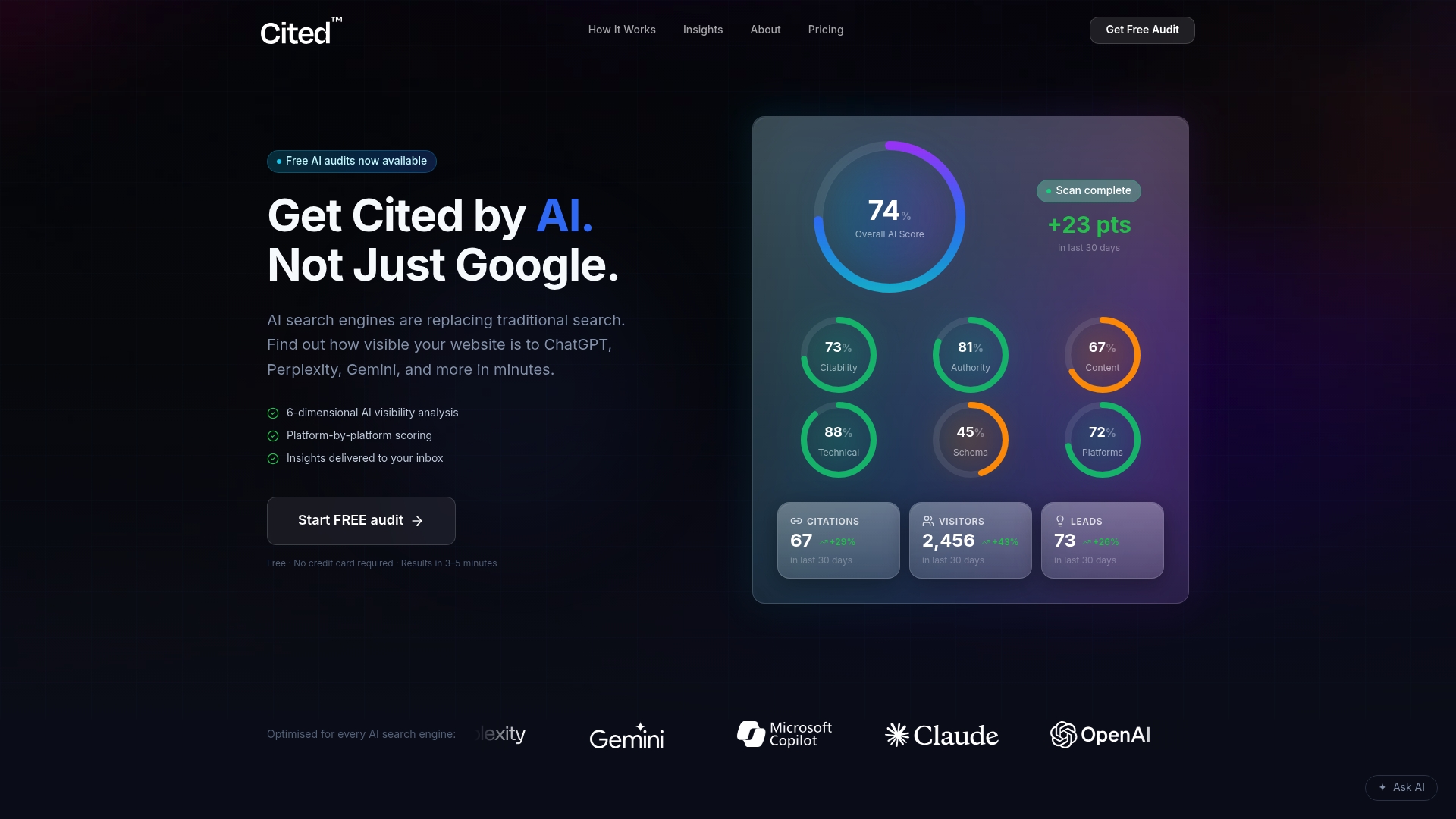
The audit methodology flags exactly where a PDF is losing citation potential, whether that's a missing text layer, an isolated file with no internal links, or a schema gap on the page hosting it. Once you have the findings, you choose the path: a one-off Technical Fixes package at £495 covers the checklist items directly, while the AI Optimised managed service at £995 a month handles ongoing optimisation as your content library grows. Larger document sets or multi-site estates get a custom Enterprise quote. Start with the free AI audit and see exactly where your PDFs stand before spending a penny on fixes.
Sources
- Enabling AI to use PDF
- Pipeline: large-scale PDF conversion toolkit (arXiv)
- ChatGPT vs Claude vs Gemini vs Perplexity for PDFs: 2026 benchmark
FAQ
Does Google index PDFs the same way as HTML pages?
Google can crawl and index PDFs, but they lack the schema markup and internal linking structure that HTML pages use, which limits how well they perform in AI-generated overviews.
Do I need to delete my PDFs once I build an HTML page?
No. Keep the PDF as a downloadable supplement and either redirect the old PDF URL to the new page or overwrite the file at its existing address to preserve any link equity it holds.
Can a scanned PDF ever be made AI-citable?
Only after OCR converts it to selectable text, and even then accuracy depends on scan quality, so proofreading the OCR output is essential before publishing.
How do I check if an AI engine is citing my PDF?
Filter Search Console by URLs containing ".pdf", check AI-specific referral analytics for traffic labelled from ChatGPT or Perplexity, and review server logs for crawler activity on the file.
What does a Cited audit check on my PDFs?
It checks text layer integrity, metadata completeness, crawlability, schema coverage, authority signals, and platform coverage across the major AI search engines, and it's free to request at cited.best/audit.
Recommended
Ready for your AI score?
See how visible your site is to ChatGPT, Perplexity & Gemini.
Start FREE auditResults in minutes · 100% free